 Hourglean
Get the app
Say what you did.
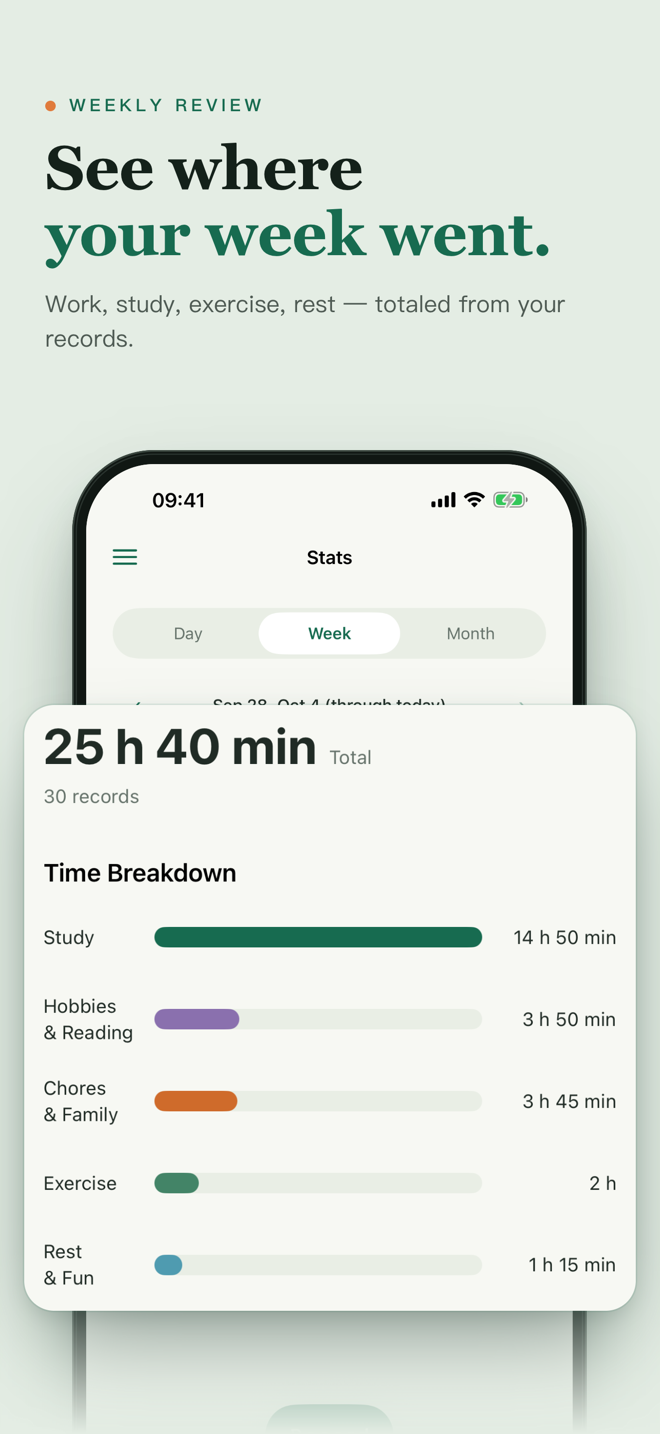
See where your time went.
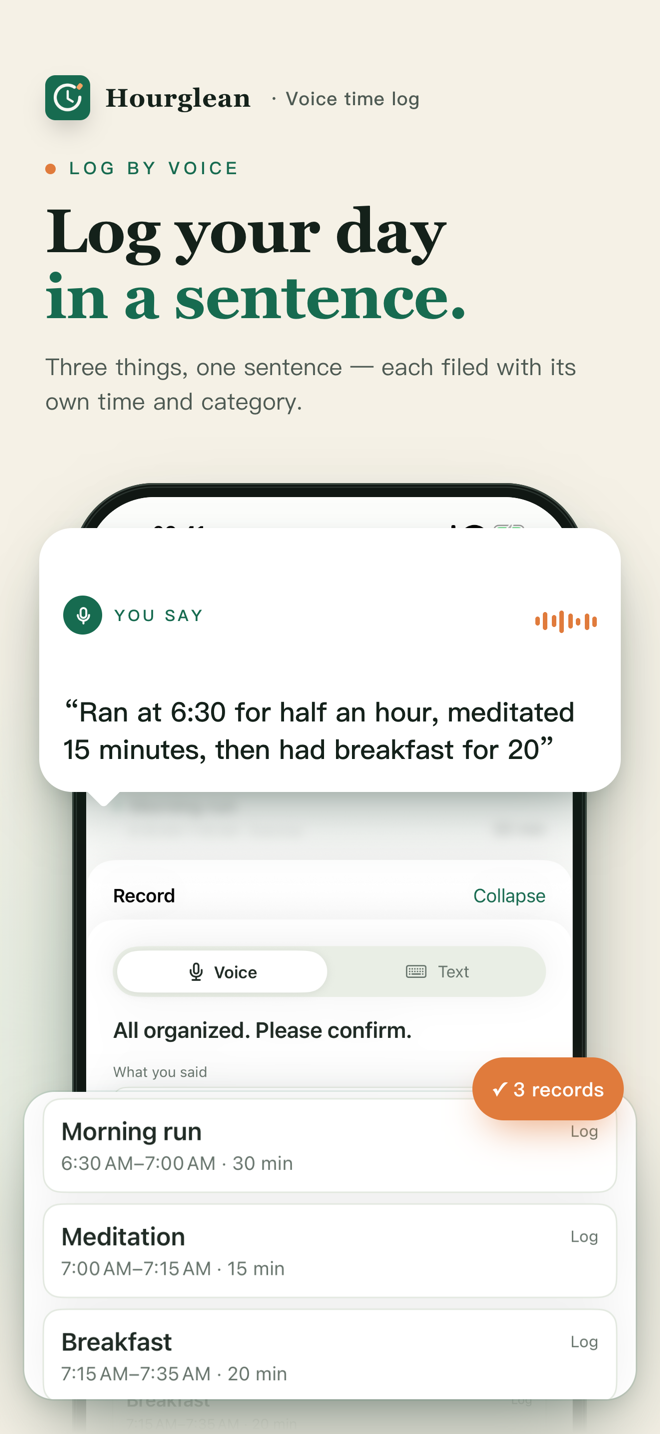
Hourglean turns a sentence like “Ran at 6:30 for half an hour, then meditated 15 minutes” into clean time records — and shows you your week by category.
iPhone · iOS 17 or later · English & Chinese · Full access for 7 days, then Hourglean Pro to keep logging.
Less form-filling. More knowing.
Tap. Say it. Confirm.
Tap Record
Speak naturally — or type the same sentence when you can't talk.
Check what it understood
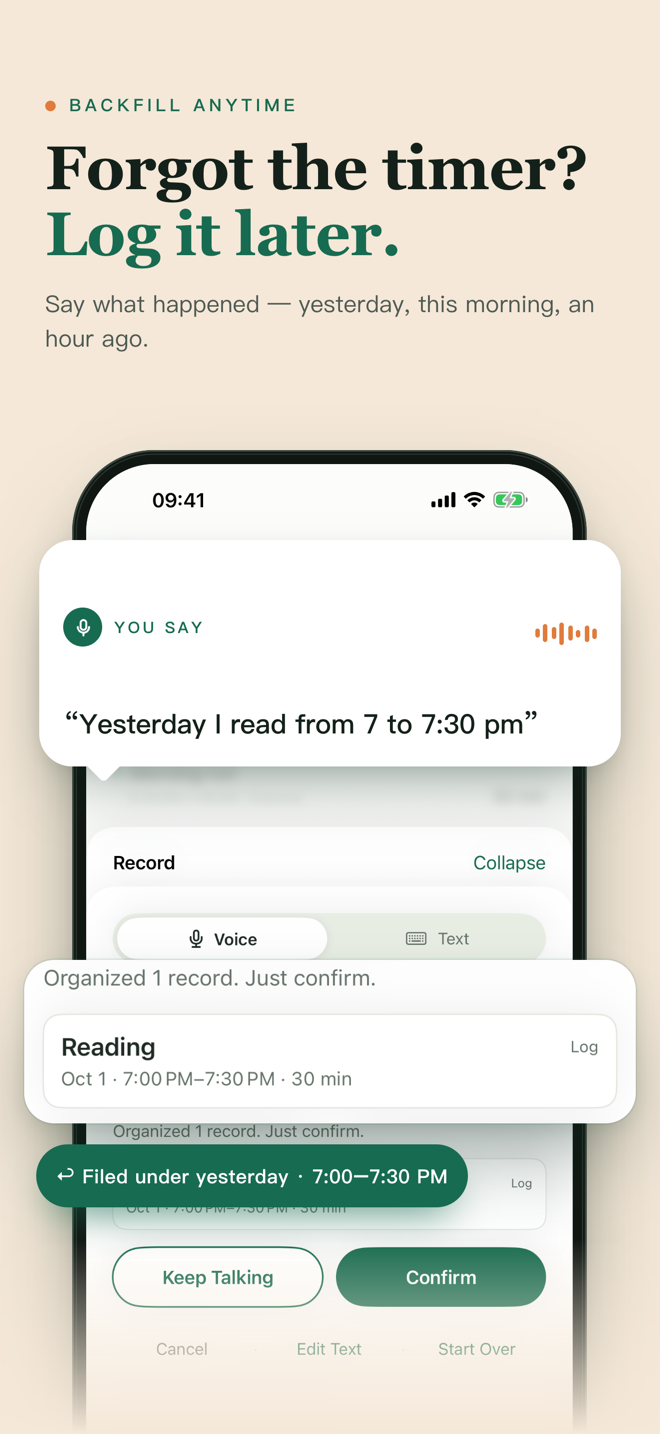
Each activity appears with its time and category. Say it differently to fix anything.
Look back
Day, week, and month stats; goals like “Read 30 minutes a day”; a calendar to replay any day.
Also: say “Start reading” to run a timer (it keeps going while your iPhone is locked), or ask Siri: “Start reading in Hourglean.”
Your log lives on your iPhone
- Time records are stored on your device.
- Apple's speech recognition turns your voice into text; no audio is sent to our servers. Depending on your device and language, Apple's service may process audio on its servers.
- To understand a sentence, only the recognized text (and the context needed to read it) goes to a third-party AI service — you're asked before first use.
- No ads. Your data is never sold. Privacy policy
7 days of everything. Then Pro.
- Every feature for 7 days from your first download — no payment needed to start.
- After that, Hourglean Pro is needed to add new records.
- Everything you've logged stays viewable, with or without Pro.
- Cancel anytime in Settings › Apple ID › Subscriptions. U.S. prices; other regions may differ.
Good questions
Does it track my time automatically?
No. Hourglean logs what you tell it — by voice, text, or a timer you start. Nothing runs in the background watching your apps.
What can I say?
Plain sentences: “Worked on the report from 2 to 3:30”, “Ran for 30 minutes, then stretched for 10”, “Start reading”, “I'm done”. You check the result before it's saved.
Which languages work?
The app is in English and Chinese. Speech recognition follows the languages set on your iPhone (for example English and Mandarin), so you can speak either.
Does it sync to iPad, Mac, or the web?
Not yet. Hourglean is an iPhone app and your records stay on that iPhone.
Can I use it for client billing or team timesheets?
It's built for personal time awareness, not invoicing or team management.
What happens after 7 days if I don't subscribe?
You can still open the app and see all your records, stats, goals, and calendar. Adding new records needs Hourglean Pro.
Start with a 3-day time check.
Log a few meaningful activities each day. On day three, review what you recorded. This small sample is a starting point, not a complete picture of your week.
Download on the App StoreStart with a question.
- How to do a 3-day personal time audit — a simple worksheet and a useful first review.
- Forgot to start a timer? — reconstruct what you can, without inventing precision.
- Hourglean facts: pricing, privacy, and limits — clear answers before you download.
- Free personal time audit worksheet — fill it in or print it, with no account.
- Voice vs manual time tracking — choose a method that fits your day.
- 中文:一句话记录时间